PBRS4.5.20240313
Publisher Description
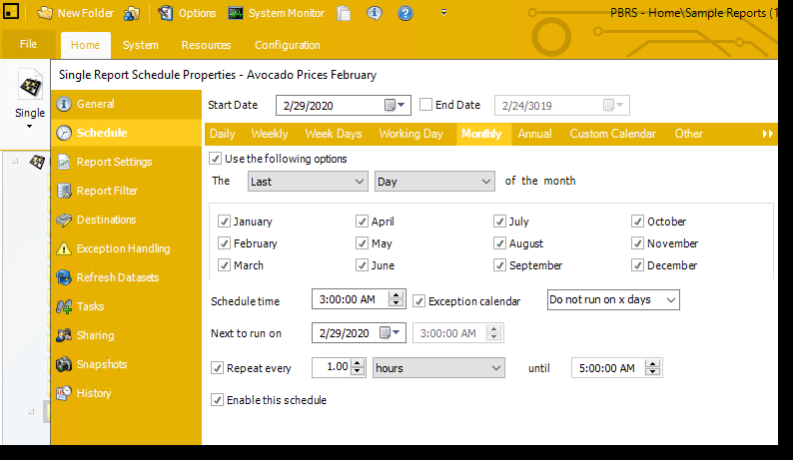
PBRS software is a powerful tool that allows you to schedule and automate your Power BI and SSRS reports. You can choose from different destinations and formats, such as email, printer, folder, SharePoint, Dropbox, etc. You can also export your reports as PDF, Excel, HTML, image, and more. PBRS software also supports event-triggered scheduling, data-driven scheduling, workflows and custom tasks, blank report checking, and user-level data security. With PBRS software, you can save time and money by delivering your BI reports when you need them, how you want them, and where you want them.
About PBRS
This Databases & Tools program is available in English. It was last updated on 29 September, 2026. PBRS is compatible with the following operating systems: Windows.
The company that develops PBRS is ChristianSteven Software. The latest version released by its developer is 4.5.20240313.
The download we have available for PBRS has a file size of 1.5 GB. Just click the green Download button above to start the downloading process. The program is listed on our website since 2024-03-19 and was downloaded 32 times. We have already checked if the download link is safe, however for your own protection we recommend that you scan the downloaded software with your antivirus. Your antivirus may detect the PBRS as malware if the download link is broken.
How to install PBRS on your Windows device:
- Click on the Download button on our website. This will start the download from the website of the developer.
- Once the PBRS is downloaded click on it to start the setup process (assuming you are on a desktop computer).
- When the installation is finished you should be able to see and run the program.
Program Details
System requirements
Download information
Pricing
Version History
version 4.5.20240313
posted on 2024-03-19
General UI Improvements.
Fixes:
Scheduling tasks at increments of 0.5 hours causes the scheduler to become unresponsive
Data-driven reports sent via email with an embedded report but no attachment result in blank emails being sent
Duplicate bookmarks are not displayed in the bookmark dropdown
version 4.5.20240214
posted on 2024-02-14
Added the ability to easily edit both Single Schedules and Single Paginated Schedules directly in PBRS Web.
Easily create duplicates of both single and Package Schedules with the convenient Clone Schedule feature in PBRS Web.
And more.
version 4.5.20231129
posted on 2023-11-29
Added Azure Blob as a destination to the "Export Data to a Report" Custom Task.
The text output format of Power BI Paginated reports now allows for the removal of ending pipe delimiters (|) from all empty values, rather than just the final one.
Issue fixes.
version 4.5.20231025
posted on 2023-10-25
Export Power BI paginated reports as CSV while preserving all settings in the destination properties.
Added the option to run PBRS as a non-elevated process.
Fixed: The Filter Slicers names do not appear when modifying or adding Filter Slicers to a schedule within an existing package.
And more.
version 4.5.20230927
posted on 2023-09-27
Ability to schedule Power BI Paginated Reports in the PBRS Web Application
Ability to export paginated reports to .txt format with delimiters and character options
New OpenAI API enhancing the power of email bodies
Fixed the Web Application login issue for users added through a Windows group
version 4.5
posted on 2023-07-12
- Web Application: Introduced a new feature that allows users to create Single Report Schedules for Power BI reports.
- Implemented support for Power BI Service Principal Account and Row Level Security (RLS)
- Row Level Security Report Filters now provide the capability to utilize JSON definitions
version 4.5.20230712
posted on 2023-07-12
Issues Resolved:
Complex sql queries are not being parsed as expected, therefore invalidating the query or returning incorrect records.
Paginated Power BI reports with non-native Power BI rendering fails due to passing incorrect characters in the parameters.
version 4.5
posted on 2023-04-12
- General UI improvements.
- CC email information is not visible in the email log.
- Grouping Reports together for email destinations within Data-Driven Packages does not work as expected.
